Select Version of EA Desktop:
If a media item in the Media module is a copy of another media, you can set the media as a copy by linking the original media.
To set a media as a copy of another media item:
-
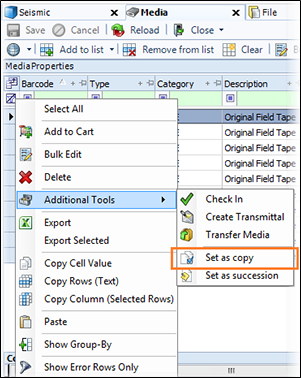
In the Media Properties grid, select the item to be set as a copy.
-
Right-click on the item to open the context menu.
-
Point to Bulk Tools and select Set as copy.
-
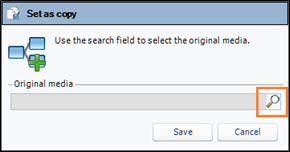
The Set as copy window opens.
-
In The Set as copy window search for the original media to assign.
-
Click Save.